Colaboré estrechamente con equipos multifuncionales para crear soluciones digitales centradas en el usuario que se alinean con los objetivos del negocio y mejoran la experiencia del cliente.
Cliente
MetLife Chile
Rol
UX UI Designer
Año
2022-2025
Contexto
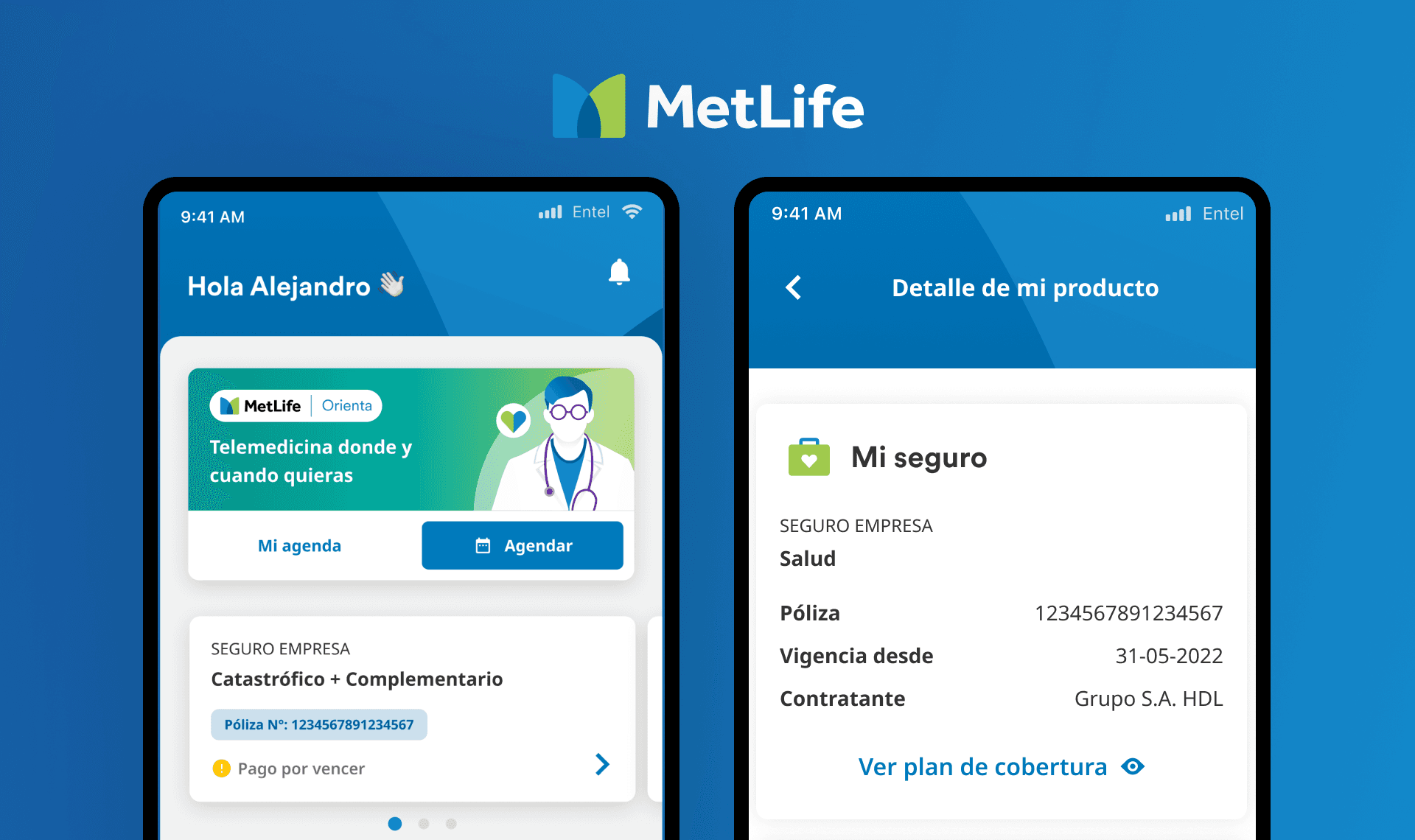
MetLife es una compañía global de seguros y servicios financieros que ofrece soluciones para ayudar a personas y empresas a afrontar las incertidumbres de la vida. La aplicación fue diseñada para simplificar el proceso de reembolso para los usuarios.
Solucion
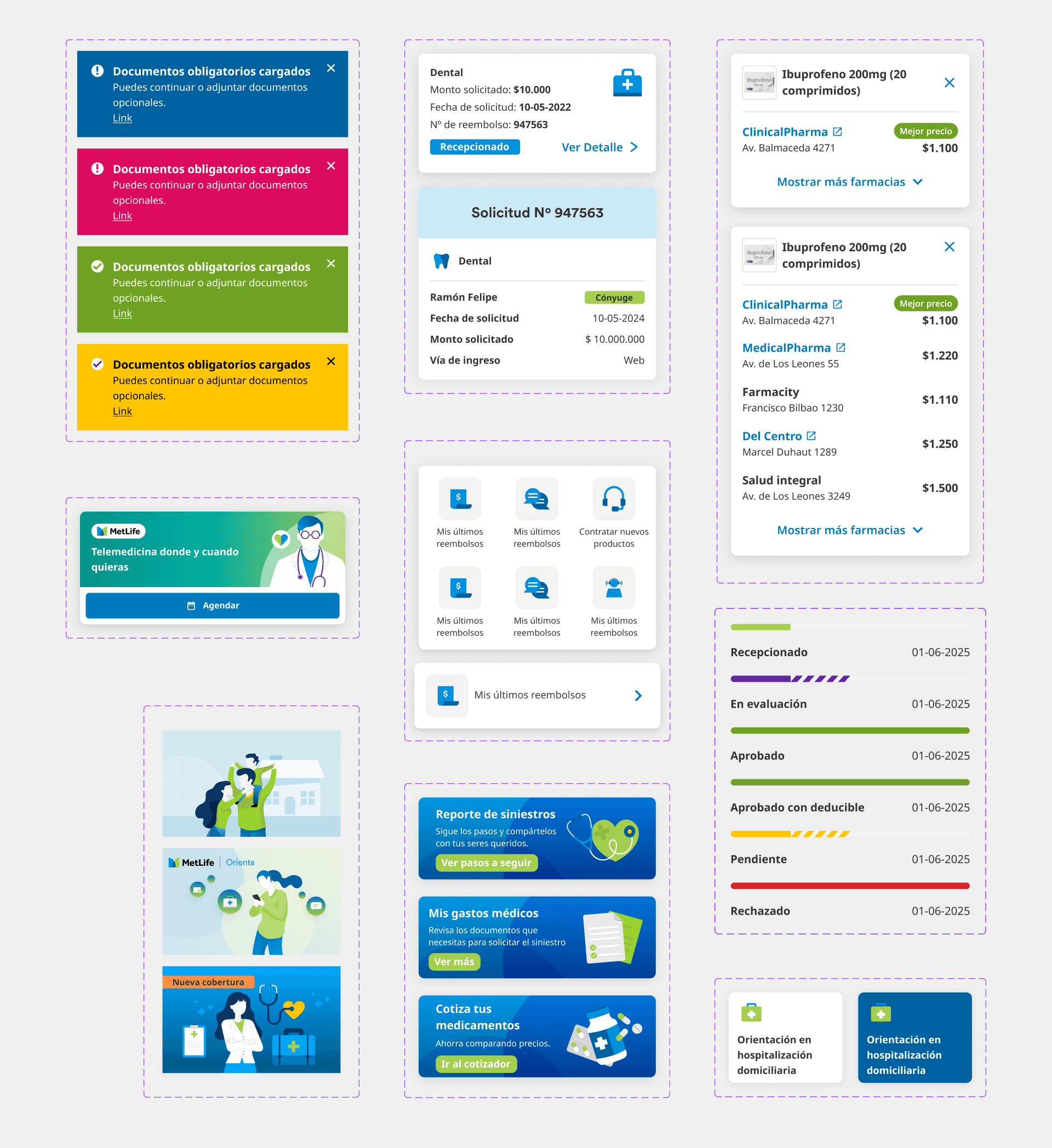
Junto con el equipo de diseño, desarrollamos nuevos flujos de navegación, manteniendo siempre al usuario en el centro y respaldando nuestras decisiones a través de la investigación. Se incorporaron nuevos componentes al sistema de diseño y se documentaron cuidadosamente, asegurando una alineación total con las directrices globales de MetLife (design.metlife.com). Cada vez que se proponían nuevos flujos, realizábamos pruebas con usuarios para obtener información clave sobre su comportamiento. Gracias a estas mejoras, las descargas de la aplicación aumentaron significativamente, convirtiéndola en la aplicación de seguros más utilizada en Chile.
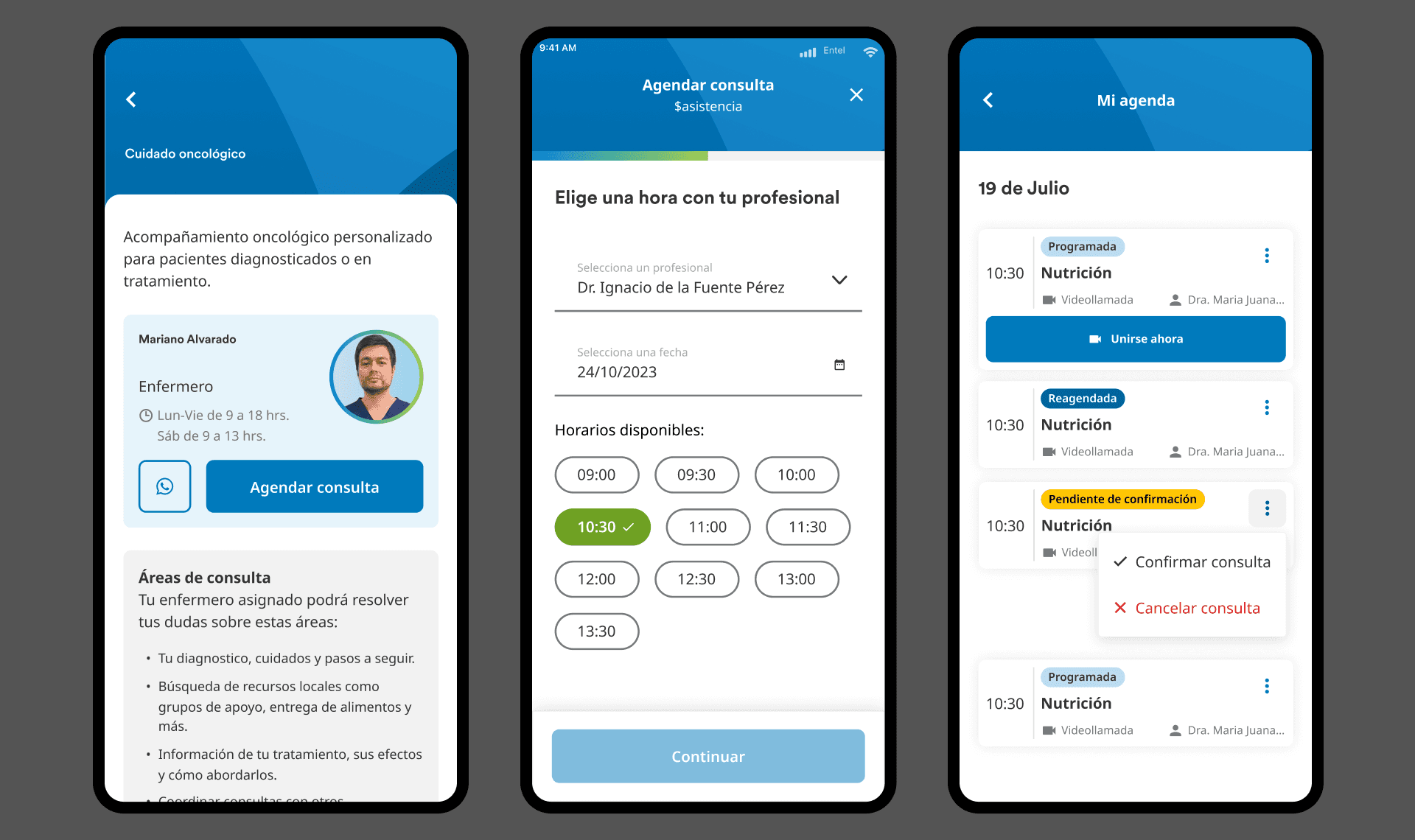
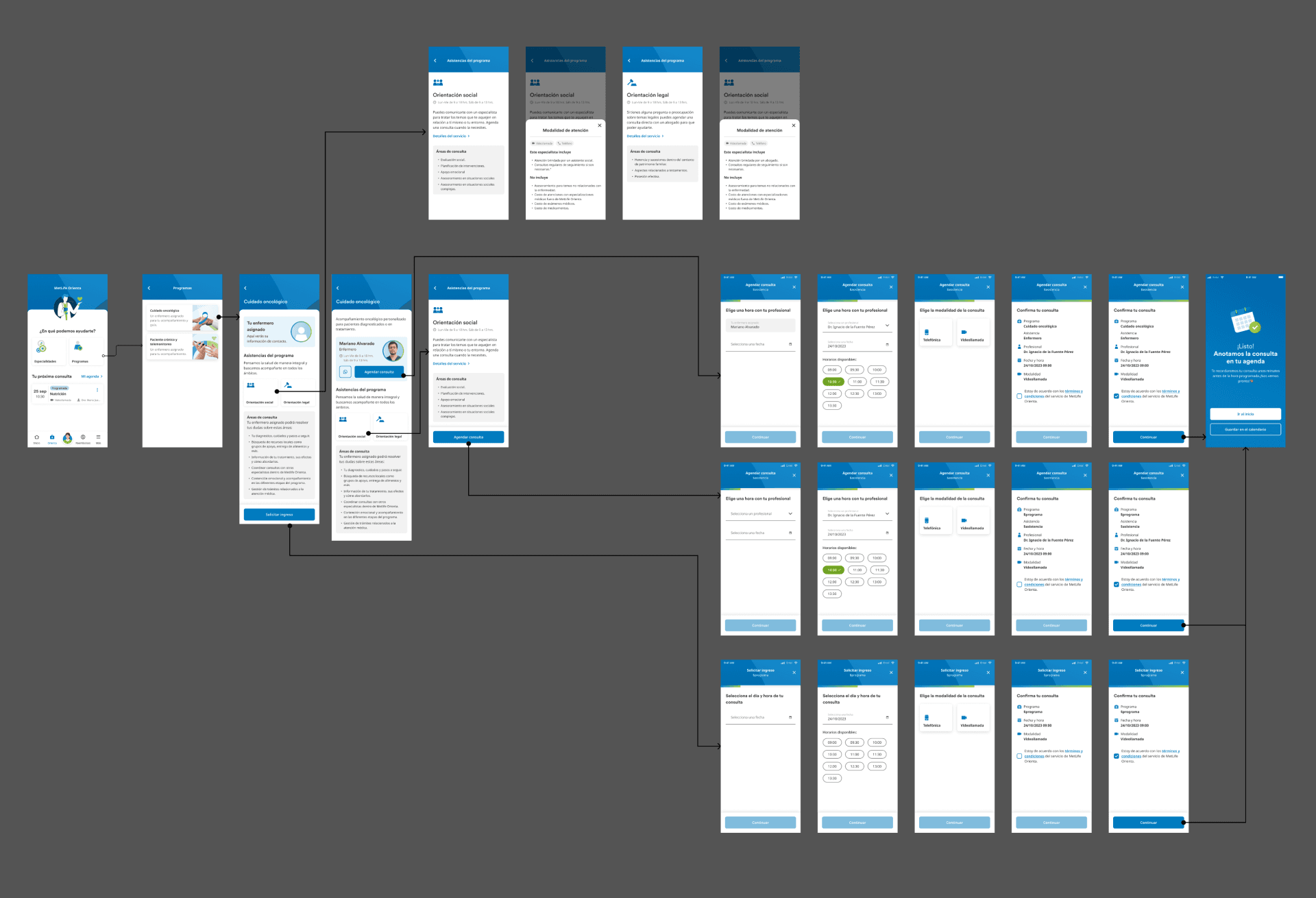
Trabajé en el diseño de nuevas pantallas y en la definición de flujos de navegación, equilibrando los requisitos del negocio con las necesidades de los usuarios para garantizar una experiencia fluida e intuitiva.
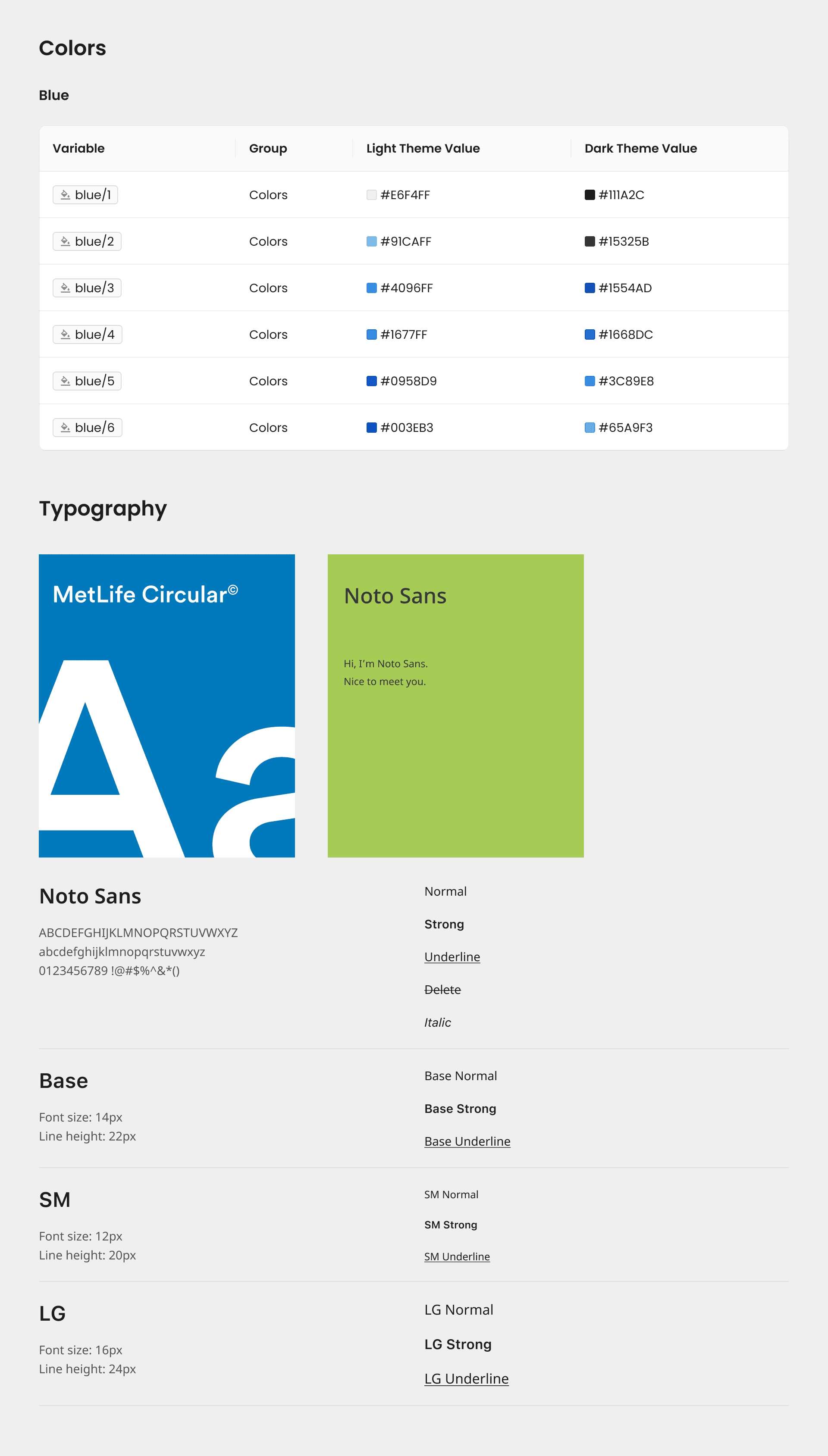
Colaboré en el mantenimiento y desarrollo continuo del sistema de diseño de MetLife, trabajando en Figma para garantizar la consistencia visual y la alineación con los estándares globales de marca. Mis responsabilidades incluían la creación y documentación de nuevos componentes y patrones de UI, la gestión de design tokens (colores, tipografía, espaciado, etc.) y asegurar la escalabilidad entre plataformas. También trabajé estrechamente con desarrolladores para mantener la coherencia entre diseño y código, mejorando la colaboración y acelerando el ciclo de desarrollo del producto. Esto contribuyó a un flujo de trabajo de diseño más eficiente y a una experiencia de usuario consistente en toda la aplicación.
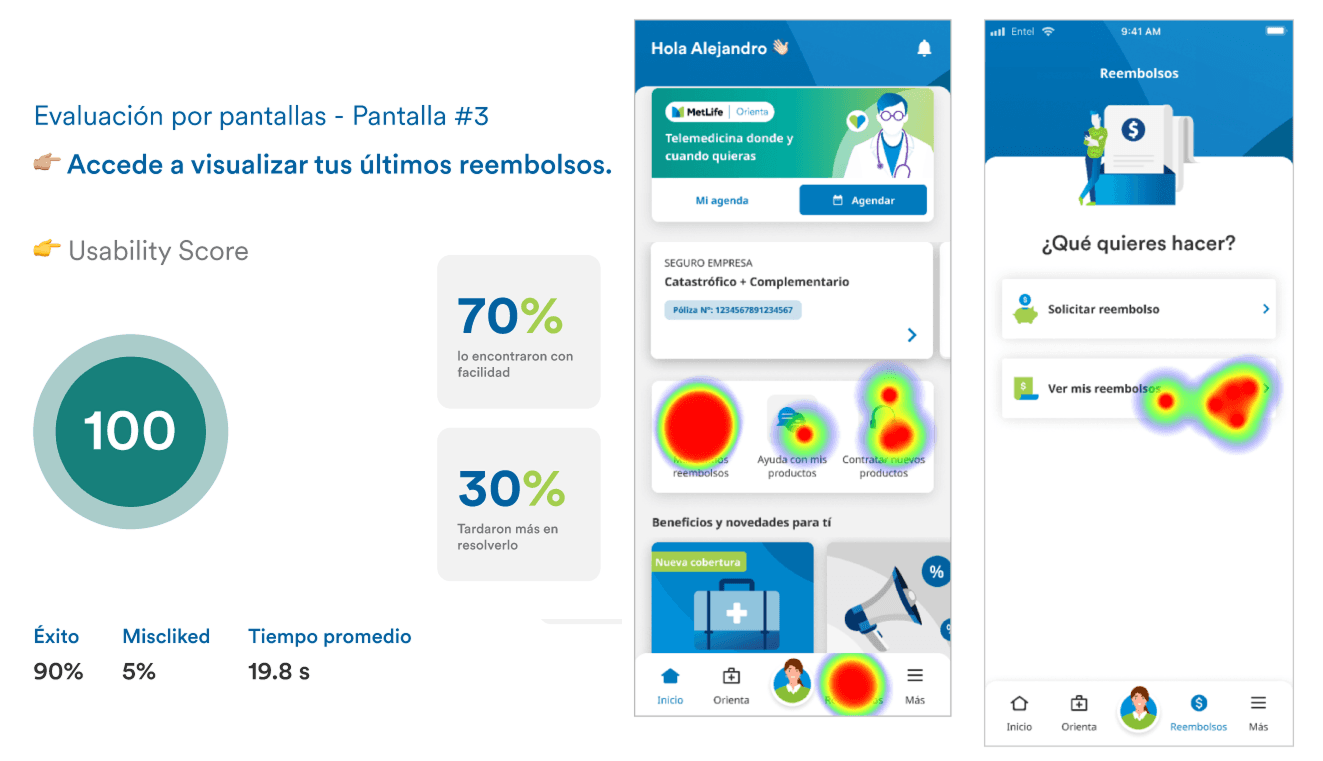
Creé un prototipo interactivo en Figma y lo integré con Maze para realizar pruebas de usuario sobre la nueva pantalla de inicio diseñada. El objetivo era evaluar cómo los usuarios reales interactuaban con la actualización del diseño y la navegación. El prototipo nos permitió recopilar información valiosa tanto cuantitativa como cualitativa, que luego fue analizada junto con los equipos de diseño y producto. A partir de estos hallazgos, realizamos ajustes de diseño fundamentados antes de entregar la versión final al equipo de desarrollo, asegurando una implementación más efectiva y validada por los usuarios.